Set your price and get paid
Set up payouts, choose a monthly price and an optional yearly plan, and see what the platform fee is.
Set up payouts first
Before members can pay you, connect the bank account where you want to receive the money.
Go to Admin, then Pricing and payouts.
Tap Set up payouts. You'll need your legal name and date of birth, your bank account number (IBAN), and sometimes a photo of your ID.
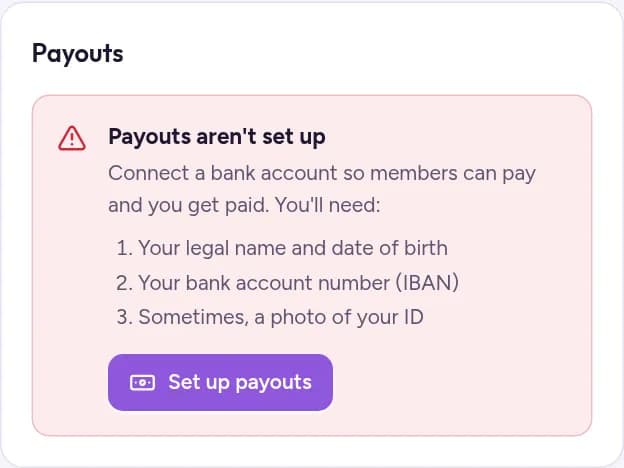
Checking your details can take a little while. When it's done, the page shows Payouts are on. If it shows Payouts need a few more details, follow what it asks for.
Choose your price
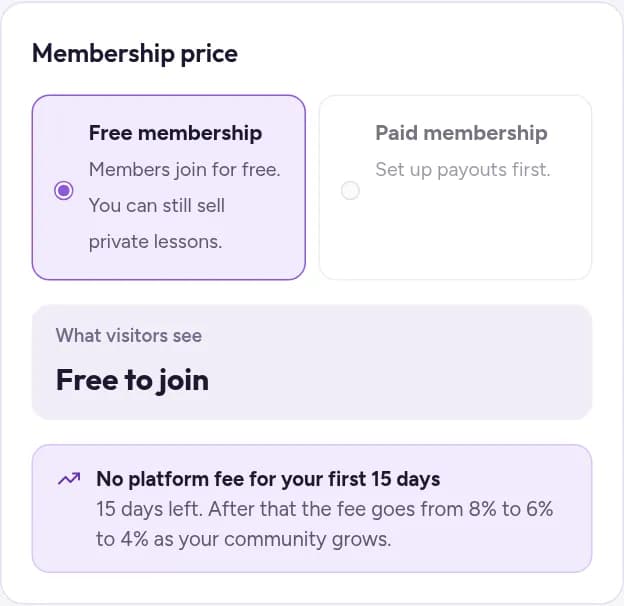
Under Membership price, choose Paid membership and enter a monthly price. It stays greyed out until payouts are set up.
Optionally, turn on Offer a yearly plan and enter a yearly price. About 10 times the monthly price gives members roughly two months free.
Tap Save prices. The box What visitors see shows the price as it will appear on your About page.
Prefer free? Keep Free membership. You can still sell private lessons.
The platform fee
- No fee during your community's first 15 days.
- After that, 8% of each payment, for memberships and private lessons alike, while you have fewer than 50 members.
- 6% from 50 to 100 members, and 4% above 100.
When the money arrives
The money goes to your bank account automatically. Choose how often: As soon as possible, Weekly or Monthly, then tap Save schedule. Recent payouts, on the same page, shows each transfer to your bank and whether it's on the way or already paid.