See your members and email them
Find who joined and how active they are, invite new members, add free members, and send an email to all or some of them.
See your members
Go to Admin, then Members. Search by name or email, or filter, for example to see only paying members.
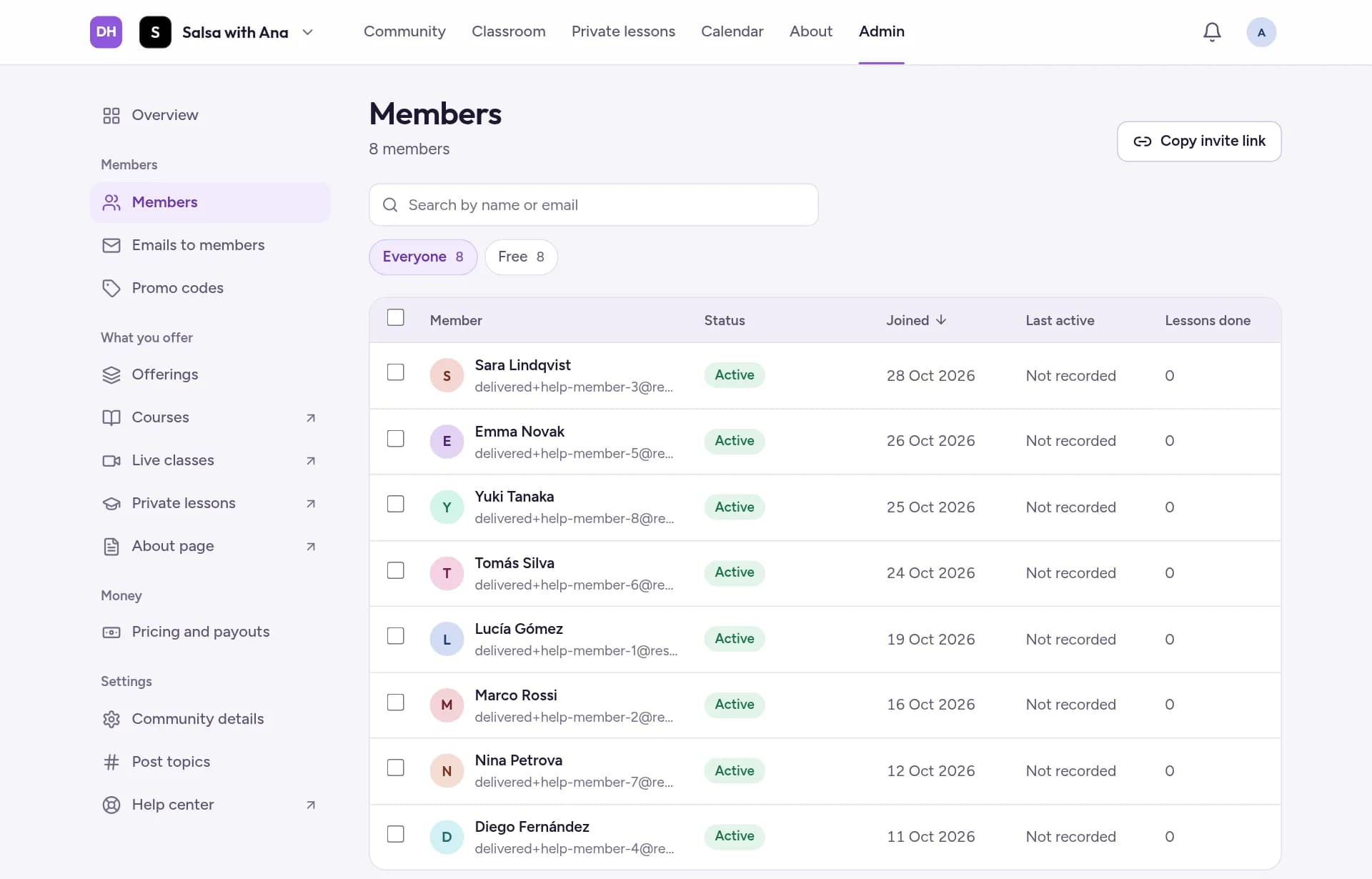
Tap a member to see when they joined, their plan and how active they are.
Invite new members
Tap Copy invite link and paste it in WhatsApp, Instagram or an email. The link opens your About page, where people join.
Add a free member
In a paid community, you can give up to 10 people a free membership, for example an assistant or a student who pays you in person. They are never asked for a card.
Go to Admin, then Members, and tap Add a free member.
Enter their Email and, if you like, a Personal note, then tap Add free member.
If they already have an account, they're in right away. If not, they get an invite to sign up, which works once and expires after 30 days. You can resend or cancel it under Free members.
Email your members
Go to Admin, then Emails to members, and tap New email.
Choose who gets it under Send to, write a Subject and your message.
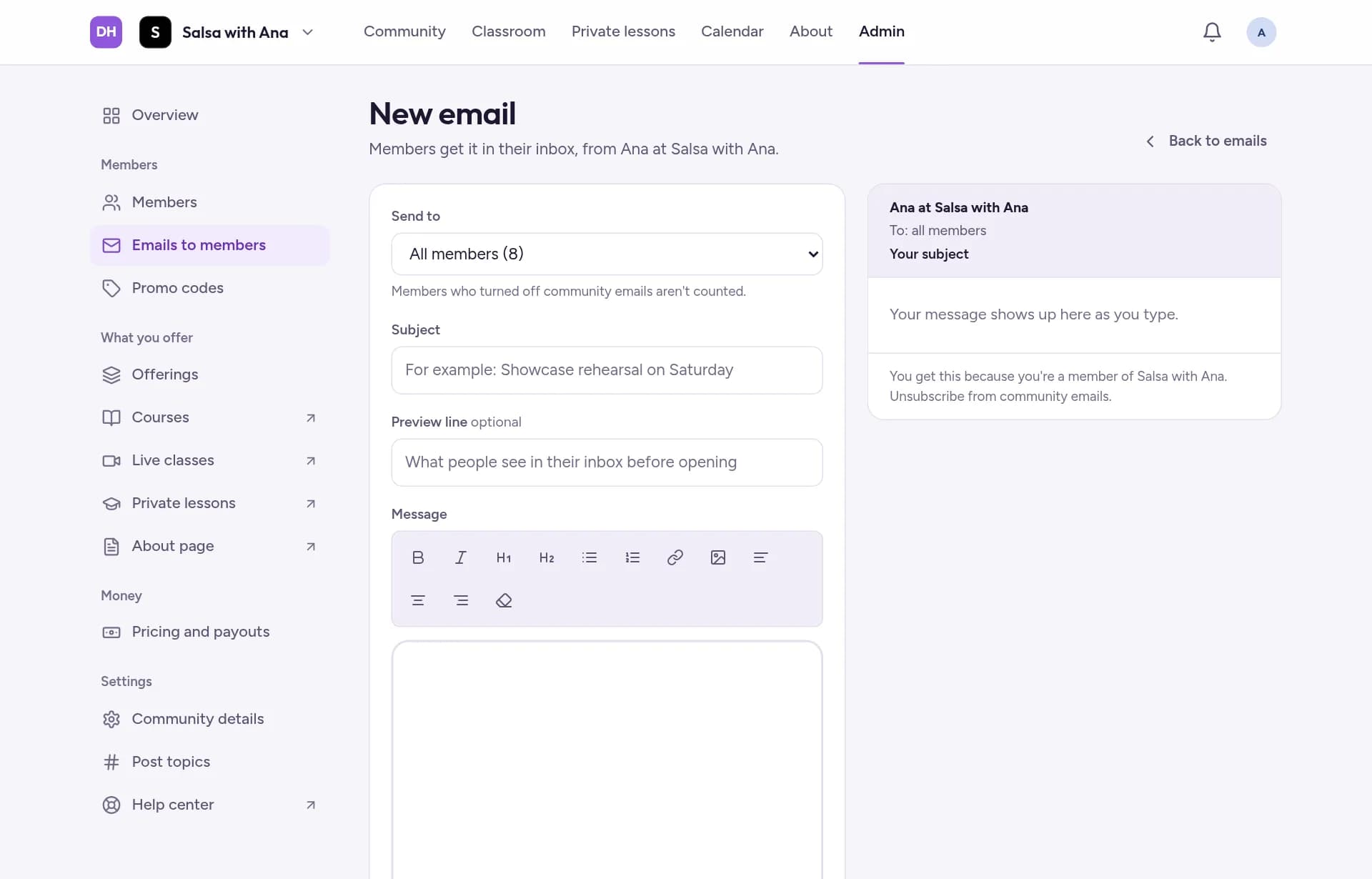
Tap Send me a test to see it in your own inbox first. Then tap Send to 12 members (with your own number) and confirm with Send now.