Get started: create your community
Create your community, choose what you offer, follow the setup list and invite your first members.
Create your community
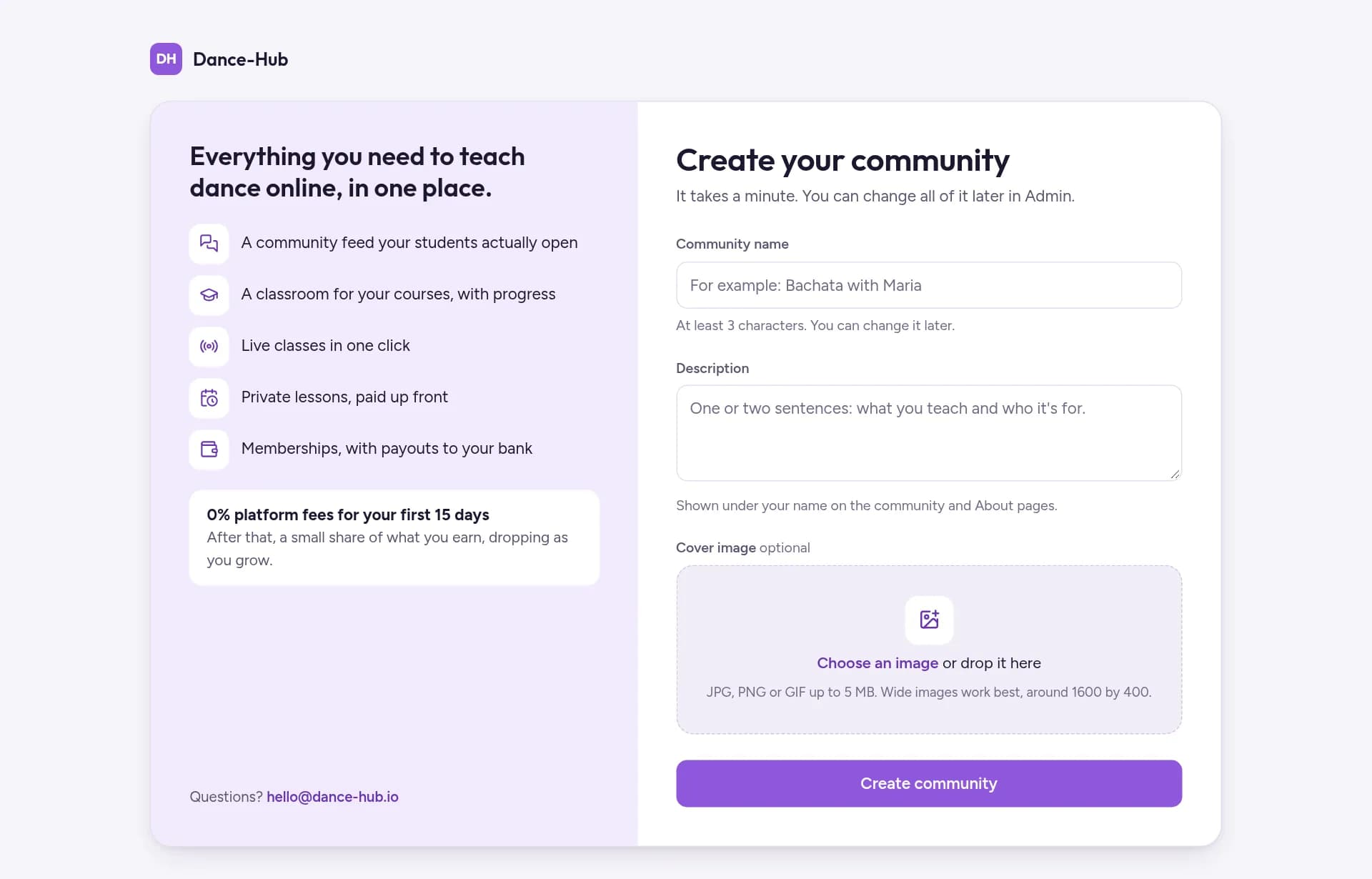
On dance-hub.io, tap Start your community and sign up with Google or your email.
Give it a Community name and a short Description, then tap Create community. You can change both later.
Choose what you offer
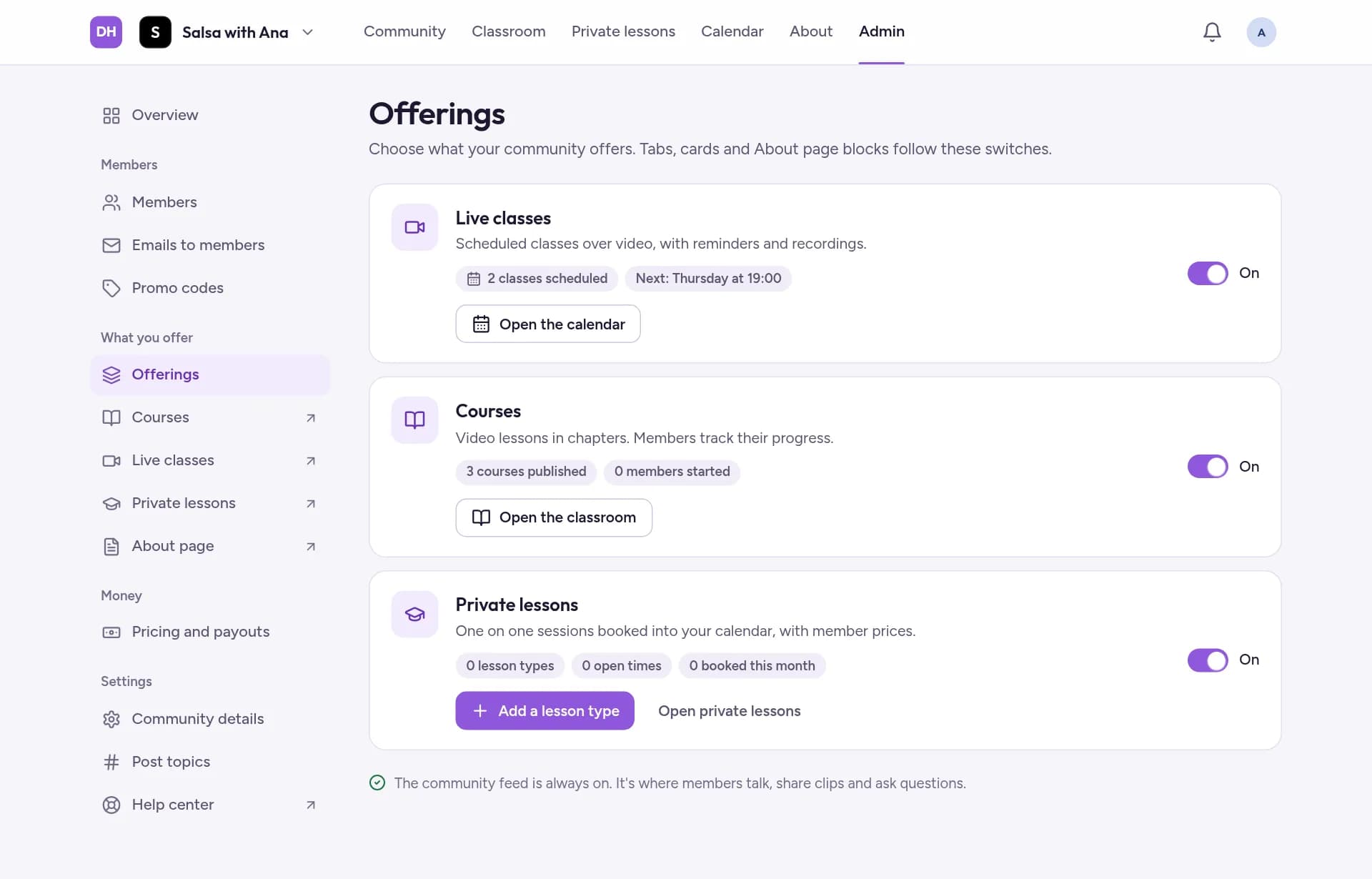
Go to Admin, then Offerings. Live classes, Courses and Private lessons all start switched on: switch off what you don't teach. The tabs, cards and About page blocks follow these switches. The community feed is always on.
Follow the setup list
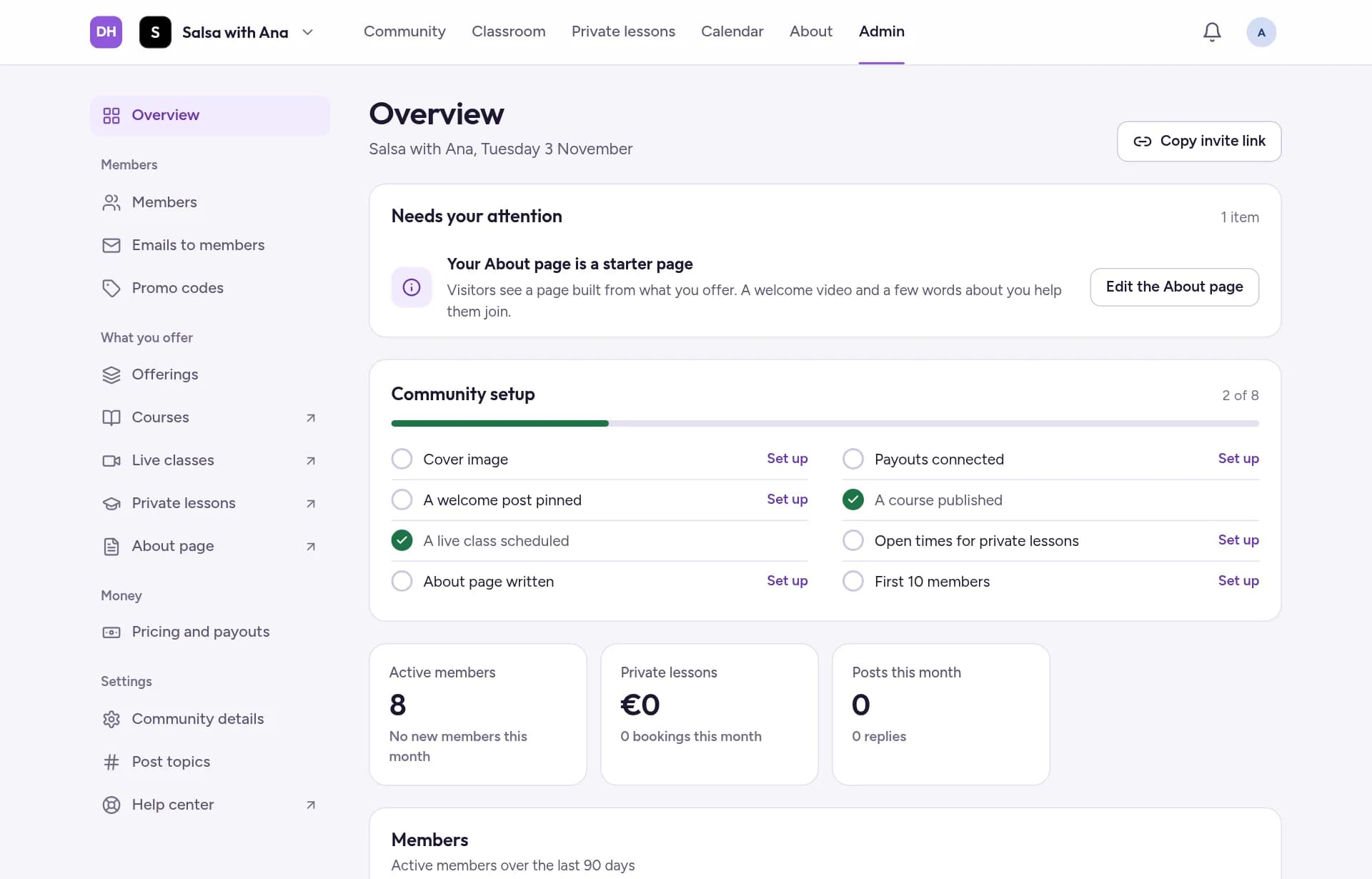
Overview, the first page of Admin, shows what's left to set up under Community setup. Tap Set up next to an item to do it.
Invite your first members
Tap Invite on your community page, or Copy invite link in Admin, to copy your link, then paste it in WhatsApp, Instagram or an email. Before you share it, check who can join.
Related guides
- Open or close your community to new membersChoose whether people can join now, sign up before you open, or not join at all.
- Edit your About pageYour About page is what visitors see before they join. Add your story and a welcome video, arrange the blocks, and check it as a visitor.
- Set your price and get paidSet up payouts, choose a monthly price and an optional yearly plan, and see what the platform fee is.