Give a discount with a promo code
Create a code that takes a percentage or an amount off your membership, for the first payment or the first few months.
Create a code
Promo codes work on paid memberships, so set your price first. To let someone in for free with no card, add a free member instead.
Go to Admin, then Promo codes.
Under Create a code, write the Code people will type, for example SHOWCASE15.
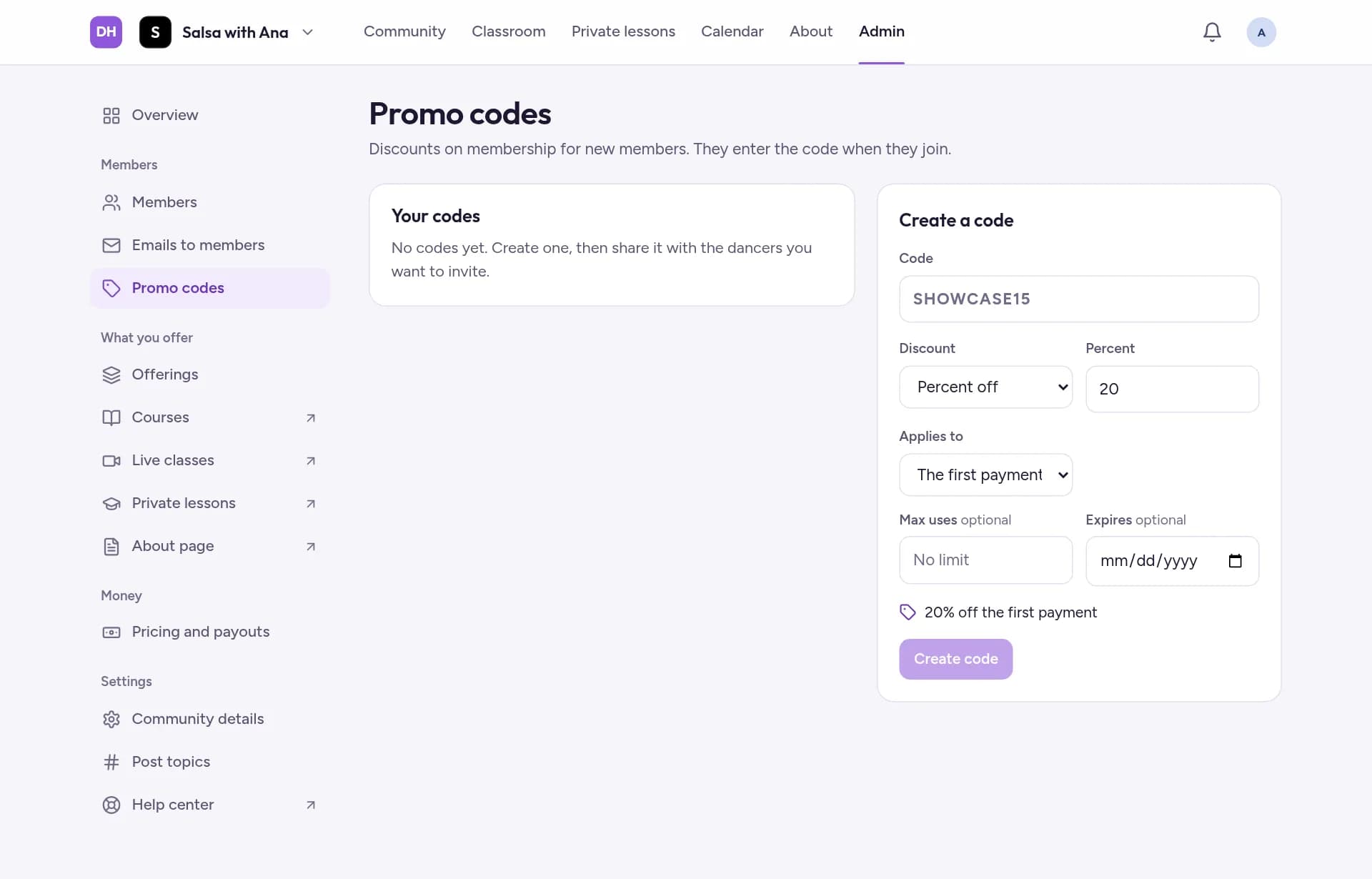
Choose the Discount: Percent off or Amount off, in €, and enter how much. Under Applies to, choose The first payment, or The first few months and how many Months.
If you offer a yearly plan, choose Which plan can use it?. Optionally set Max uses and an Expires date, then tap Create code.
How members use it
Share the code with the dancers you want to invite. They type it when they join, and the discount applies to their membership. Your codes are listed under Your codes.